This public home page contains no private contact information. Neighborhood files require an approved Google account. Read the important information.
Aerial view of a tree-filled property on Young Ranch Road

A neighbor-maintained resource

Welcome to Young Ranch Road

One simple place to find our map, neighbor contacts, property information and neighborhood guidance.

Request group accessHelp signing in

Around the neighborhood

Neighborhood notices

Suggest a notice →

For neighborhood updates, open the email group (Google sign-in required; opens in a new tab) →

For gatherings, road work and neighborhood projects. Private details stay in the email group. For urgent information, use official service updates and emergency contacts.

Report a problem with neighborhood notices →

Quick links

What do you need today?

Google sign-in required for neighborhood files

Neighborhood files are limited to approved members of the Young Ranch Road Google group. Use the Google account you joined with. Not a member yet? See how to request access — administrators confirm that you currently live here before granting access.

Read the neighborhood group guide (opens in a new tab) →
Report a problem with neighborhood files →

Young Ranch essentials

Everyday services and outages

Fast links for services neighbors ask about most. Availability and schedules may differ by address.

Report a problem with services and outages →

Property & county information

Start with the official record

Search by address or owner name. Confirm important decisions with the proper county office or a qualified professional.

Report a problem with county records →

Useful numbers

Who should I call?

Report a problem with phone numbers →

A few commonly needed Williamson County contacts. Tap a phone number to call from a mobile phone.

Important safety notice

This unofficial page is not monitored for emergencies and may not cover every situation. If someone is in immediate danger, call 911.

Read the full disclaimer →
EmergencyPolice, fire or medical danger
911
Sheriff — non-emergencyWilliamson County Sheriff's Office
512-943-1300
Road, drainage or septic questionsWilliamson County Engineer's Office
512-943-3330
Animal ControlChoose option 1 twice
512-864-8282
Loose livestockWilliamson County Sheriff's Office
512-943-1300

New to the road?

Welcome, neighbor.

This short checklist will help you find the information neighbors use most.

  1. Request access to the email group using your usual email address. You do not need a Google account to contact us.
  2. Once approved, open the map and click your property.
  3. Read the neighborhood group guide (opens in a new tab).
  4. Add or update your contact information so neighbors can reach you.
  5. Sign up for official local emergency alerts (opens in a new tab).
Report a problem with the new neighbor checklist →

An access request does not grant membership or open private files. Administrators confirm that you currently live here and the email address to use before inviting you. Keep contact details out of public notices and neighborhood-wide messages.

Request neighborhood access

Membership is for current residents, including renters and family members. You do not need to appear on property tax records. Owning property here without living here does not qualify.

Email the administrators with your name, neighborhood address and preferred email. You can contact us from any email address.

An administrator will follow up privately to confirm that you currently live here before granting access. Knowing an address or having a Google account is not proof of residency.

Please do not send identity documents, leases, bills, passwords or sign-in codes.

Email an access request →

Email button not working? Copy this address into your usual email service:
young-ranch-road-admins@googlegroups.com

Your request goes to the administrator group, not the neighborhood mailing list. Requests from nonmembers wait for moderation. If you do not hear back, follow up using the same email thread or speak with an administrator you know.

A little help

Having trouble?

Start here for help with neighborhood files, the map and the email group.

Report a problem with access help →
What if I do not have a Google account?

You can request access using your existing email address. After verification, administrators can help with an email-group invitation. A Google account is needed for our private Google files and the group website; it is not needed to use this public site or email an access request.

You do not need a new Gmail address. Google explains how to create an account with your existing email (opens in a new tab). Use the email approved by the administrators. Never share your password or Google sign-in codes with anyone helping you.

How is a new neighbor verified?

Access is for current residents, including renters and family members who are not listed on property records. Administrators confirm the person, their current residency and the email to invite. They may confirm in person or contact a known neighbor through an existing trusted contact. A name and address from public records, a forwarded invitation or a Google profile alone is not enough. If we cannot confirm a request, access stays pending while we follow up privately.

What if I change email, move, or lose my account?

Contact the administrators before changing the account used for neighborhood access. They will verify the change through an existing trusted contact, or verify you again if your old account is unavailable. Tell them when you move or suspect your account has been taken over so they can review or remove access. Access does not automatically transfer to another household member or the next resident.

Why does a file say “Access denied”?

Neighborhood files are shared with approved group members. Check that you are signed in to the Google account you joined with, then reopen the link. If you have not joined, request group access. Email-only membership does not necessarily let you open private Google files. If you are already a member and still cannot open a file, email the administrators with the file name or link.

Which Google account should I use?

Use the account that was approved for the Young Ranch Road group. If you have several Google accounts, select your profile picture in Google and switch to that account before reopening the file. A work account and a personal account may have different access.

How do I update my contact information?

Open the neighbor contact list and update only your own entry with the details you choose to share. If you cannot edit it, ask the administrators for help. Keep contact details in the restricted list.

Should I contact neighbors or the administrators?

Use the neighborhood email group (opens in a new tab) for questions, updates and conversations with neighbors. Contact the administrators for membership, file access, website corrections or notice submissions. The website and email groups are not monitored for emergencies; call 911 if someone is in immediate danger.

Why does the map look blank on my phone?

Use the mobile-friendly map (opens in a new tab). On the full map, Google's legend can cover the view: rotate your phone or tap ⋮ and choose Collapse map legend. If Google asks you to sign in, use your approved account.

How do I share a notice or report a broken link?

Use Suggest a notice for a neighborhood event or project. Include the proposed wording, the date and when the notice should come down. Administrators review notices before publication. For a broken link or incorrect detail, use the report link in that section; your email draft will identify the section for you.

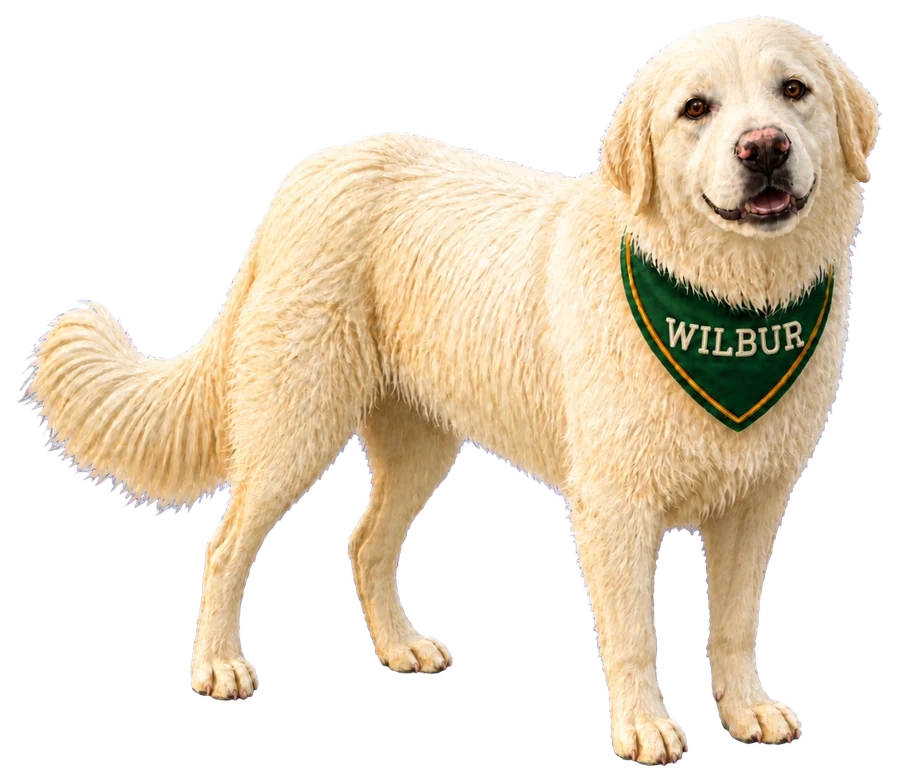
Neighborhood fun

Where’s Wilbur?

Meet Young Ranch Road’s friendliest escape artist. Wilbur is making his rounds again, and this time the whole neighborhood gets to help find him.

Play Where’s Wilbur? →